
I had been looking for a WordPress WXR (WordPress eXtended RSS) export file splitter as some hosts has limits over the upload file size limit and at times, I don’t get root access to edit the PHP.ini to lift the limits.
Windows has a neat little tool that helps people split WXR export files. http://www.rangerpretzel.com/content/view/20/1/
Sadly, at the time of this writing, none seems to be available for the Mac platform. That was a bummer.
I had some free time. So, I wrote one. Let me know what you think.
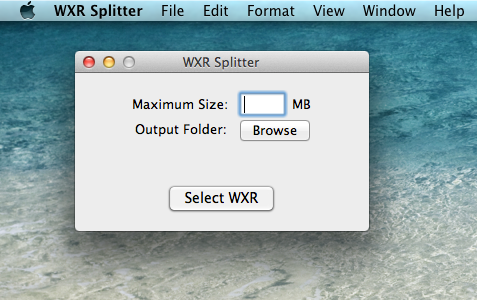
And oh, it’s also open source https://github.com/suhastech/Wordpress-WXR-Splitter/
Known Bugs:
- If a particular post is greater than the maximum size, it doesn’t work. We can’t split it, we could probably make only that file bigger than the maximum size? I’m a bit busy, I’d love to receive a pull request if you stumble upon this.
Shameless plug: I sell a Mac software called Horcrux, it backups emails.
Cheers,
Suhas
Comments
Archived WordPress comments (30)
Joel
Hey! Big thanks!
Kaushik
Thanks a ton for this!
Liz Sumner
This is a big help.
Rich
Hi,
Ive tried to use this app but it keeps stopping at 1.4mb on creating the XML files.
Any ideas?
Thanks
Rich
miguel agawin
Thanks for this!
How to Split Large XML Files in WordPress
Rhys
Legendary – Great little app
John
Legend man, such a cool app. Thank you :))
aimee0624
ok
Rosina Lippi
I would so love to use this. Downloaded without a problem, but I have no idea how to launch the program. Any hints for a less technologically minded person?
Split WordPress XML files for upload to servers « Registry Fix Blog
suhastechIn reply to
Unzip it and open .app file.
PS: Sorry if this is too late.
Alex
Hi Suhas,
I tried running the app, but it quits unexpectedly – almost immediately – after it is launched. In other words, it never fully launches, it just quits and I get an error from OS X reporting that that it quit unexpectedly. I am running OS X 10.6.8.
Any help?
Thanks.
tali
Awesome App. Saved me from hours of frustration. Thanks a million 🙂
alex
Just want to say thanks. You saved my day.
Nils Schirmer
great! thank you so much!!
Sophia
I need exactly this program for my Blogger XML file.. Aaarwg!
fastasleep
It won’t let me enter a size less than 1mb — if I put in .9 it says I need to specify the source file and destination.
frank katzer
worked perfectly – thank you!
Gilda
thank you so much !
Myshell TabuIn reply to
Me, too
Brian Ball
was hung up on a 2MB max upload limit on our server (even though the php.ini file was configured for larger files)… this allowed me to split into 9, 1.9MB files, they all were uploaded and imported to the new WP installation w/o any real difficulty!
Tom
Wow. Fantastic.
Bogfog Poopants
Great app, but please code it so you can get individual files below 1MB. It should be in k’s, not MB’s!
NatalieIn reply to
I still get the unexpected quit option which trying to open it.
Liz
Amazing. Saved my bacon, thank you!
Angel Rodriguez
Thank you. Works great!
Jane
Hi, this “unexpectedly quits” before it opens.
Application Specific Information:
abort() called
*** Terminating app due to uncaught exception ‘NSInvalidUnarchiveOperationException’, reason: ‘*** -[NSKeyedUnarchiver decodeObjectForKey:]: cannot decode object of class (NSLayoutConstraint)’
Bernie
Awesome!!
Jo Cox
Worked a charm and saved my bacon, thanks!