
Archive by Author

Use Tableau AWS Quick Start to launch a standalone server in an existing VPC
Tableau server doesn’t have this option by default in their website https://aws.amazon.com/quickstart/architecture/tableau-server/
Open their template file
https://aws-quickstart.s3.amazonaws.com/quickstart-tableau-server/templates/tableau-single-server-master.template
I wanted the Ubuntu instance. I could figure out that the Ubuntu Template exists here:
https://aws-quickstart.s3.amazonaws.com/quickstart-tableau-server/templates/tableau-single-server-ubuntu.template
Edit [...]
Filed in: aws
Getting dovecot running on Mac OS X
Install dovecot with `brew install dovecot`
Open /usr/local/etc/dovecot/dovecot.conf
# A comma separated list of IPs or hosts where to listen in for connections.
# "*" listens in all IPv4 interfaces, "::" listens in all IPv6 interfaces.
# If you want to specify non-default ports or anything more complex,
# edit conf.d/master.conf.
listen = 127.0.0.1
# Protocols we want to [...]
Filed in: Uncategorized

How to implement Sparkle Update framework in a Sandboxed Mac app
.There seems to be a fork of Sparkle which supports Sandboxing. It’s current in beta. The install instructions are slightly confusing.
Download the latest build from https://github.com/sparkle-project/Sparkle/tree/ui-separation-and-xpc
Open Terminal and cd into the directory
run ‘make release’
That will open up a directory with all the needed files.
The update signing is more [...]
Filed in: mac
Preheat or generate fragment cache on deploy – Rails 5
If you have a page that takes a lot of time to generate the cache. The first user who stumbles upon it is in pain. Sometimes it times out before it gets generated completed.
So, I created a method in one of the helper class
def self.recreate_cache
the_controller = ActionController::Base.new
# Set any instance variables required by your partial in the controller,
# they [...]
Filed in: ruby
[Fix] PG::CharacterNotInRepertoire: ERROR: invalid byte sequence for encoding “UTF8”
I was trying to store Random IVs generated for AES encryption but couldn’t store them into a PostgreSQL database.
The Random IVs generated were binary data. So, you have to escape them.
While storing, do this
PGconn.escape_bytea(data)
While retrieving, do this
PGconn.unescape_bytea(data)
Filed in: ruby
How to create a singleton scaffold in Rails 4
I thought I would quickly post this.
Use the usual command to generate the scaffold.
rails generate scaffold Model
then in routes.rb
Change
resource :models
to
resource :models, :path => ‘model’
Filed in: Uncategorized
Briefly describe your current experience with computers and computer programming
I was applying for RubyConf India scholarship which I want to go badly. I missed the last one in Bangalore because I wasn’t in the Ruby scene back then. They did have this question:
Briefly describe your current experience with computers and computer programming
Midway through writing the answer when I figured it was pretty long, unnecessary and would make a nice blogpost after a long break. [...]
Filed in: thoughts
How to get reverse SSH access to a Linux Machine behind NAT
My friend wanted access to a computer at college because he was working on his college project where they had to create a cloud farm using OpenStack.
He wanted to work from home (that is one of the perk if you are a software person). The computer was behind the college NAT. So, doing something like this would need the SysAdmin and presumably a convoluted process.
I found this nice remote forwarding [...]
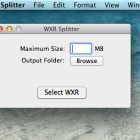
WordPress WXR file splitter for Mac OS X
Posted by Suhas on August 26, 2012 · 30 Comments
I had been looking for a WordPress WXR (WordPress eXtended RSS) export file splitter as some hosts has limits over the upload file size limit and at times, I don’t get root access to edit the PHP.ini to lift the limits.
Windows has a neat little tool that helps people split WXR export files. http://www.rangerpretzel.com/content/view/20/1/
Sadly, at the time of this writing, none seems to be available [...]
How to programmatically assign a category to a post on WordPress
Another quick little snippet. This is when you use it in a loop.
$my_post = array();
$my_post['ID'] = $post->ID;
$catarray = array(31); // 31 is the cat ID you want to assign
foreach((get_the_category($post->ID)) as $category) {
array_push($catarray, $category->cat_ID);
}
$my_post['post_category'] = $catarray;
wp_update_post( [...]
Filed in: Uncategorized
© 2012 Suhas Tech. All rights reserved.
Proudly powered by Wordpress.