
Archive for July, 2009

Adsense Ad Placement
Ad placement is very important for a web-publisher. Good placement of ads can do wonders. So, how do you do it? Well, Here is a neat app which will help you with your decision. It uses artificial intelligence (atleast, thats what they say) to simulate first five seconds of vision.
All you need to do is to take a snap of your website and upload it on their website. You will be provided with a heat [...]

Do it yourself – Make a VGA to Component Cable
Posted by Suhas on July 20, 2009 · 25 Comments
Ever wanted to connect your computer to your HDTV? Obviously for better resolution, clarity, etc. You can make a cable for it and again this is just for hobbyists like me.
This time I am not going to write a noob friendly tutorial like my previous post because this is pretty simple and straight forward.
What you need:
1) A VGA Cable
2) AV / RCA plugs (You can pull this out from spare wires)
3) Soldering [...]

Do it yourself – S-Video to RCA (Composite) Cable / Adapter
Posted by Suhas on July 17, 2009 · 10 Comments
This is part of the “How to connect laptop/ desktop computer to a TV” series
I wanted to connect my laptop to my TV so I went to some shop and got a cheap cable. It NEVER worked. I am perfectly sure that they have messed up with the wiring.
Anyways, I just pulled out the S Video jack and the AV / RCA jack from it and wired it up. Worked like a charm.
What you need:
1) Soldering Iron
2) [...]
The Best Free web-hosting Solution
Just went through the free-webhosts.com and checked out this host. This is really great. I’m using it right now.
Check out HelioHost
They Provide you with:
Bandwidth limit 2500 MB/month.
Cpanel, Fantastico.
Unlimited addon domains.
POP3 Email, Spam Assassin.
Statistics, raw logs.
Cronjobs allowed.
Unlimited MySQL and PostgreSQL databases.
Custom error pages.
SSL secure server.
Same as helionet.org.
Ruby [...]
Filed in: web
How to remain Always Idle on Google Talk
Posted by Suhas on July 15, 2009 · 2 Comments
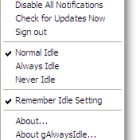
Ever wanted to remain Idle (on your wish) on Google Talk?
1) Download this App.
2) Extract it.
3) Run gidle.exe
4) It’ll do something. (Don’t worry about it)
5) Right click on the Gtalk Icon which is on the far right of your taskbar.
6) Select your ‘Idle’ Option and you are done.
PS: Their Official website is down.
Replace your Xbox 360 Drive with a new one
If your have a wrecked Xbox 360 Drive. Heres how to replace the drive,but I cannot write a noob friendly tutorials like my other posts due to some reasons.
1) Extract the key from your old Xbox 360 DVD Drive.
2) Load your Dummy.bin in the buffer.
3) Select the target firmware.
4) Click on spoof to target source.
5) Flash your New Xbox 360 DVD Drive with your spoofed firmware.
Filed in: xbox 360
How to get your programs run on the Startup
Ever wanted to get your programs run on the startup? Heres a simple tweak
1) Make a shortcut of the program.
2) Copy it.
3) Right click on the Start Button, Click on Open.
4) Go to Programs –> Startup.
5) Paste your shortcut here.
Filed in: windows
Fix Occasional Disc Read Error on your Xbox 360
If your Xbox 360 plays some discs and doesn’t play some by showing ‘Disc Unreadable’ or ‘Open Tray’ or ‘Dirty disc’ error, this is the tutorial you are looking for:
1) Check your ‘unplayable discs’ for disc errors. Click here for the tutorial.
2) If they they don’t have write errors. Try a pot tweak. Click here for the tutorial.
3) If [...]
Filed in: xbox 360
Check DVD for write errors
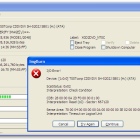
Many times, you get Disc read error and you’ll have a dilemma – Is it the DVD or the DVD Drive?
You can check if the DVD is faulty using this method.
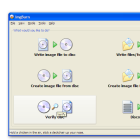
1) Download ImgBurn
2) Install it in a computer with a working DVD Drive.
3) Run ImgBurn.
4) Click on Verify and Insert the disc you want to verify.
5) If you have the Image of the disc. Check ‘Verify Against Image File’. Then, [...]
Turn your Palm into a Universal Remote
I recently scavenged out a Palm Zire from my Grandpa’s garage. Frankly, it was of no use to me. But then this hit my mind – ‘Palm has an internal IR port, can’t it be used as a remote?’ and found this neat tool called OmniRemote which lets you use your Palm as your remote.
What you need:
1) Palm (duh!)
2) The remote you want to program (Optional, because there are other [...]
Filed in: palm
© 2009 Suhas Tech. All rights reserved.
Proudly powered by Wordpress.