
Archive for September, 2009

Tutorial – Free Keyboard / Piano Lessons, Made Easy for Beginners
I always wanted to learn Keyboard but, that’s just ‘sometimes’. So, I sometimes learn a couple of tunes. This is how I do it. It is sort of like a free online piano lessons.
Technically, we just download MIDI files from the Internet and then play it on a Software called MIDI piano which lets you learn the keys to be pressed.
I have made a YouTube Video.
.
Technorati Tags: free,piano,keyboard,lessons,learn,music,beginners,easy
[...]
Filed in: web

How to Copy / Backup files without booting Windows
If you are a Windows user, you will face boot error. I had one recently and had to format the whole computer. I needed to backup my precious files. If the computers not booting up, doing this can be tricky. This is where our friend Penguin (Linux) comes to the picture.
Here’ how to do it:
1) Download Mandriva Linux or Ubuntu Linux. (Ubuntu Preferred)
2) Write it on a CD and boot it on your computer [...]
Filed in: windows
How to connect a Laptop / Desktop Computer to a TV
Posted by Suhas on September 28, 2009 · 4 Comments
Many people would want to connect their Computer to their TVs for better resolution and Quality. TVs can be a better alternative for a Monitor. Here are some of my articles which will help you do so.
For HDTVs (High Definition Television)
Some HDTV have VGA slot which will let you connect your computer easily with a VGA Cable. But many don’t have it, but do have Component Cable.
For that, you can [...]

How to Overrun / Crack BIOS ’s CMOS Password
Some of us might be in a tight spot when we forget our passwords. If we forget the BIOS Password, it might be very hard to crack (because no software can be used). So, we just reset EVERYTHING.
For Noobs: BIOS password is the password which can be set on the BIOS setup (The Black or Blue dull screen), not on the Operating System.
How it Works?
Even if you shut your PC down, it remembers the settings [...]
![[Fix] External Hard Drive doesn’t show up on My Computer but on Device Manager](/wp-content/themes/lifestyle_40/tools/timthumb.php?src=http://suhastech.com/wp-content/uploads/images/seagate_thumb5B25D.png&h=140&w=140&zc=1)
[Fix] External Hard Drive doesn’t show up on My Computer but on Device Manager
I got a new External Hard Drive recently. When I plugged the Hard Drive into the USB Port. I could not see it on My Computer but, I could locate it on the Device Manager. I thought the computer wasn’t detecting the Hard Drive. After sometime, I found out that, I haven’t yet Initialized my Hard Drive. Here’s how to do it.
1) Right Click on My Computer and Click on Manage. Now, Click on Disk Management. [...]
Filed in: windows

How to Copy Music / Songs from an iPod
Apple is a company which is combating piracy by not letting people download songs from the Ipod. That’s really dumb, in my opinion. First of all, its ‘our’ songs that we are talking about, they won’t let us backup? Second, they aren’t really successful.
Ok, today I am going to show you various ways to copy songs from your iPod.
1) Using a Free Application
Download this app. You can Copy any [...]
Filed in: ipod

Use a USB Keyboard as an Xbox 360 Chatpad / Messenger Kit – How to
This is a very simple trick, but not many people know about this. This can save you $30!! Also typing on those small pad can sometimes be weary.
What you need?
1) Xbox 360 (duh!)
2) USB keyboard, wired or wireless, doesn’t really matter
How it works?
I know that Meekrosoft is a money hungry sucker, but surprisingly, they let us use a USB keyboard off the game.
Note: USB keyboards still can’t be [...]
Filed in: xbox 360

How to Create a Free Professional Website, Simple and Easy
Many of us start blogging with either minimum or no investment initially. As a matter of fact even sites like Google had the same plan! Basically to create a website, you need 1) Web-hosting service
I recommend X10hosting. 250 MB hosting bandwidth, but you will have to login to their forums every two week. That’s not much to ask for a fabulous service, in my opinion. Here are other [...]
How to recover deleted photos from your Digital Camera
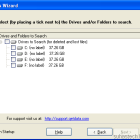
Imagine, you go to some heavenly place and click some beautiful photos, you try to tweak some settings and BAM!!..you delete the most beautiful photo. Don’t worry you can retrieve it back.
How it works?
When you delete a photo, the camera doesn’t delete the photo but kind of hides the photo. When click more photos the deleted photos will be over written.
Note: You can’t retrieve every single [...]
Filed in: windows
Use a Free Rapidshare account like a Premium User – Hack
Posted by Suhas on September 3, 2009 · 2 Comments
Free users are really handicapped. I always wanted to start a Download and go to sleep but, this can be only done by the Premium Users. We (Free Users) always need to keep a watch on it. There is no queue option.
Note: This tutorial can be used for any other file hosting companies like MegaUpload, Megashares, SendSpace, etc.
What you need:
1) A modem with Dynamic IP
2) Firefox
How it works?
When you [...]
Filed in: web
© 2009 Suhas Tech. All rights reserved.
Proudly powered by Wordpress.